CTE Curriculum
Prepare learners with CTE curriculum aligned to industry standards.


1. Access the Student Readiness Report
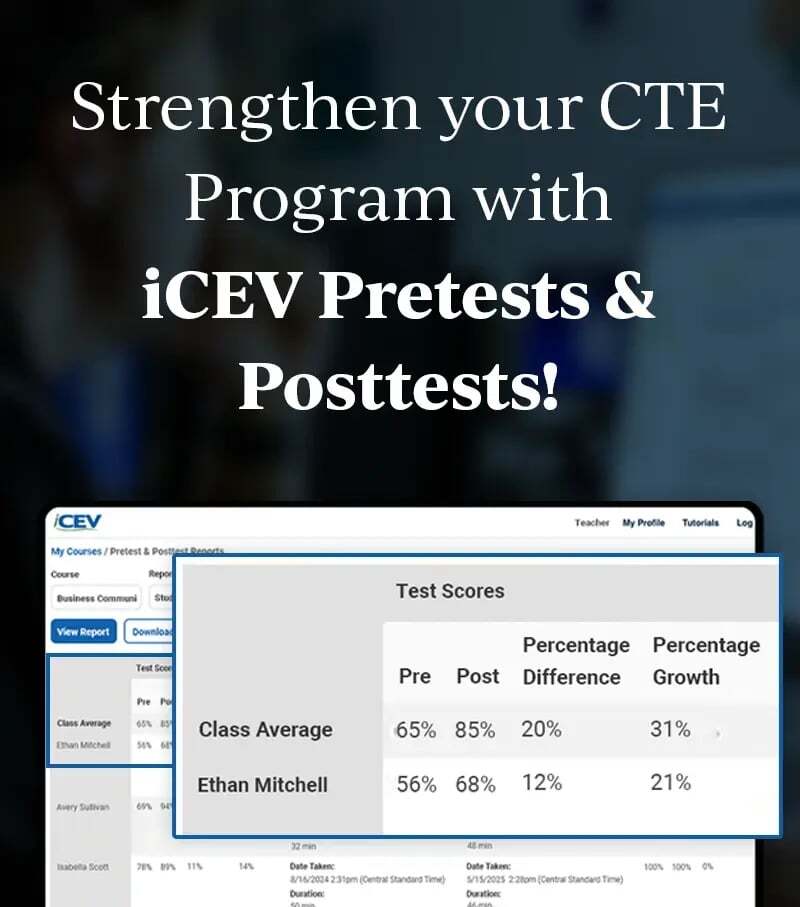
You can begin by opening the student readiness report from the Reports menu.
Select Reports, then choose Certification Readiness.
2. Access the Student Readiness Report From a Course
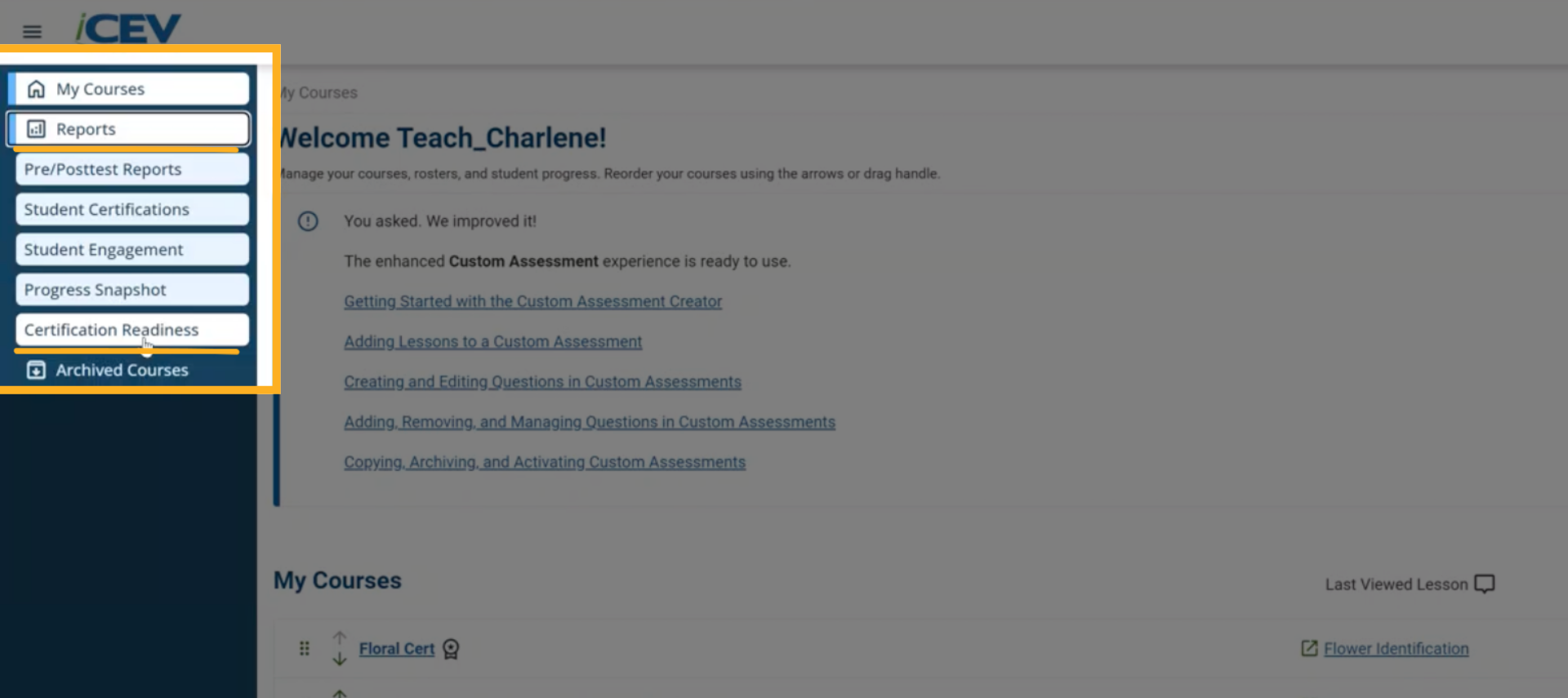
You can also reach the same report by opening any certification aligned course from the My Courses page.
Inside the course, select Certification Readiness located below the Readiness Group summary.
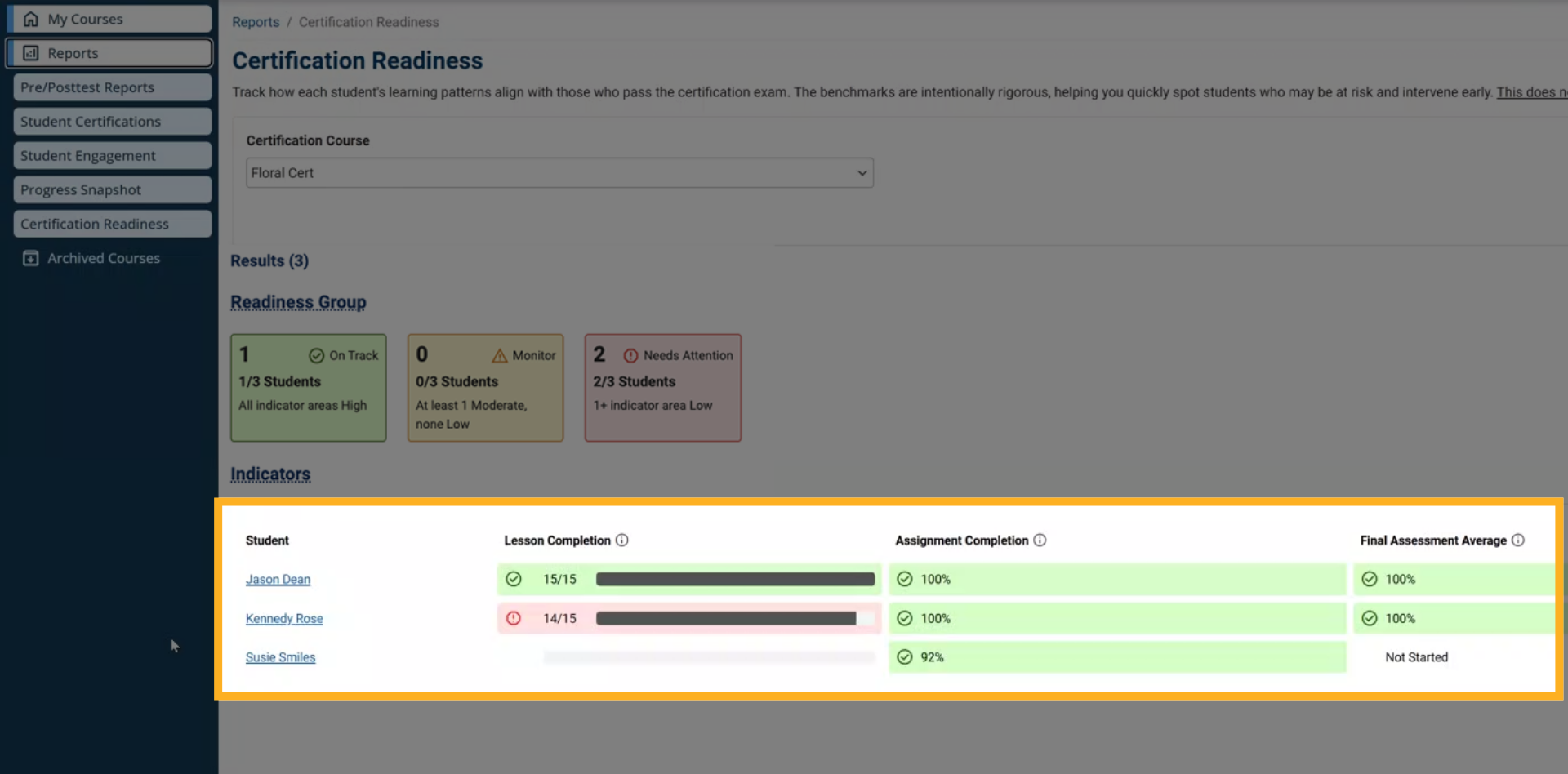
3. Select a Student
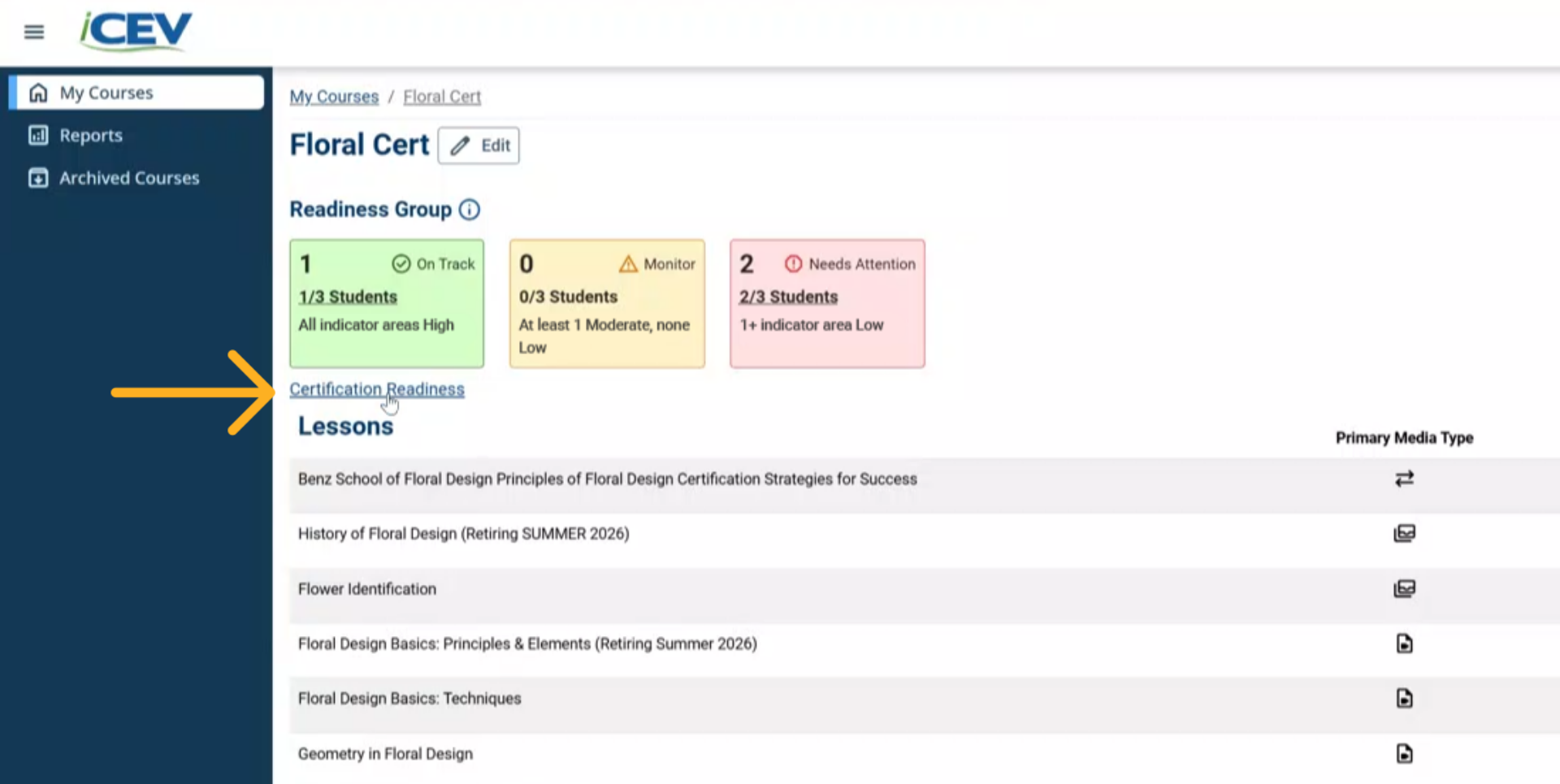
From the course certification readiness report, select the student’s name.
This opens their detailed Certification Readiness page.
4. Review the Overall Readiness Status
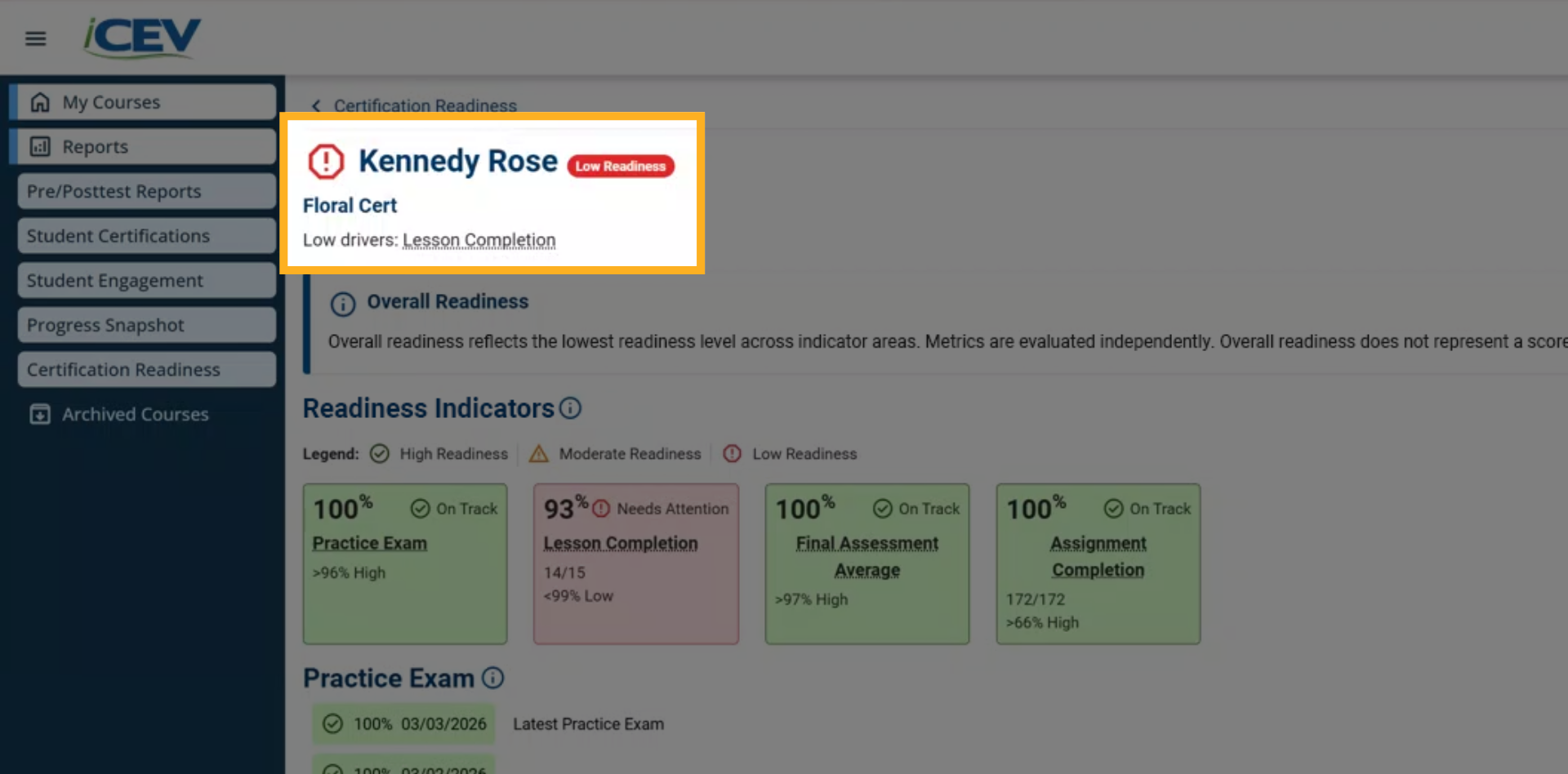
At the top of the student page, you will see their overall readiness status.
This status reflects the lowest readiness level the student has reached in any indicator.
It is not an average and it does not predict certification exam results.
5. Review Each Readiness Indicator
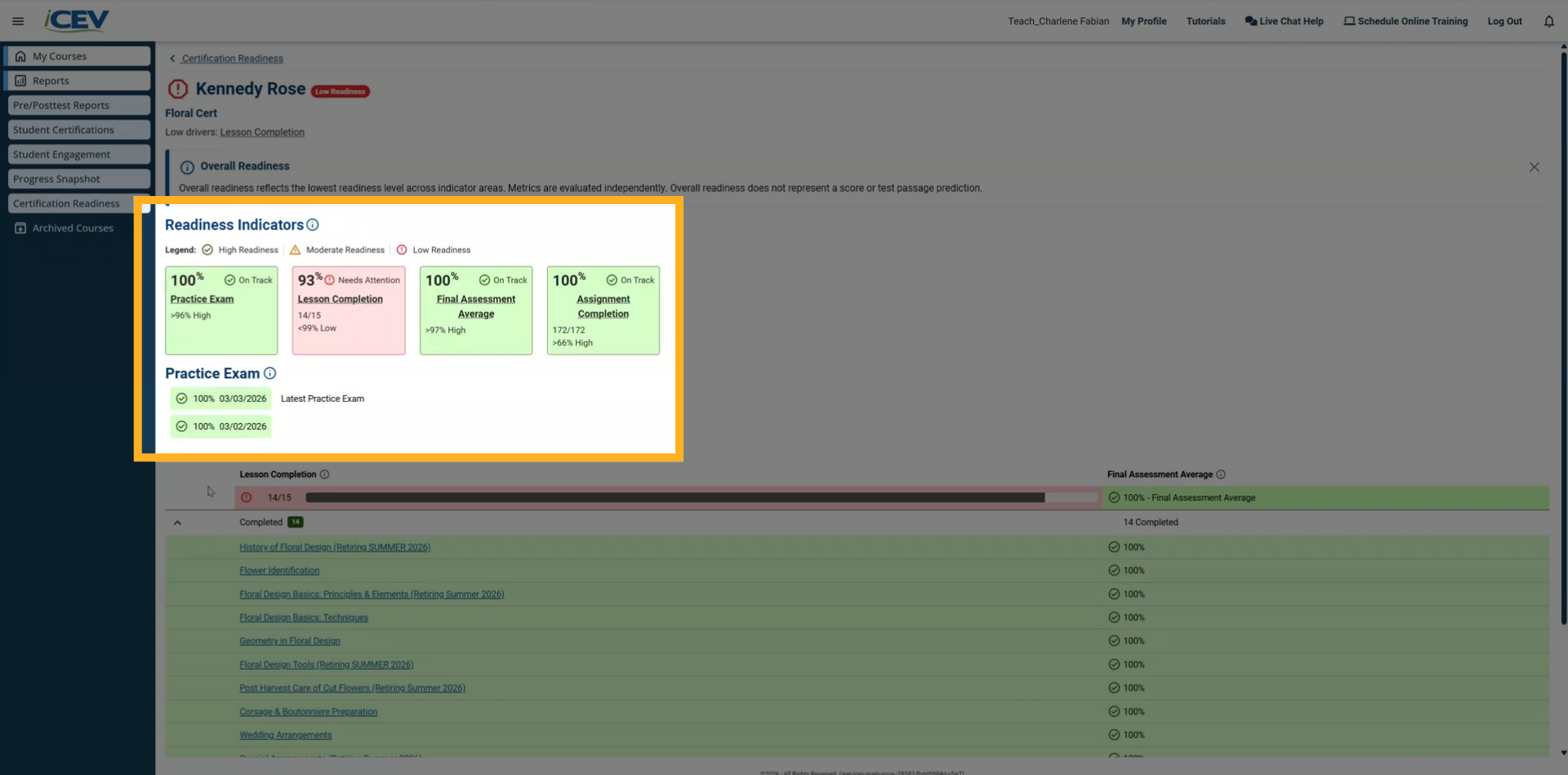
Each indicator includes performance data and a readiness status.
There are four readiness indicator areas to review.
6. Practice Exam Indicator
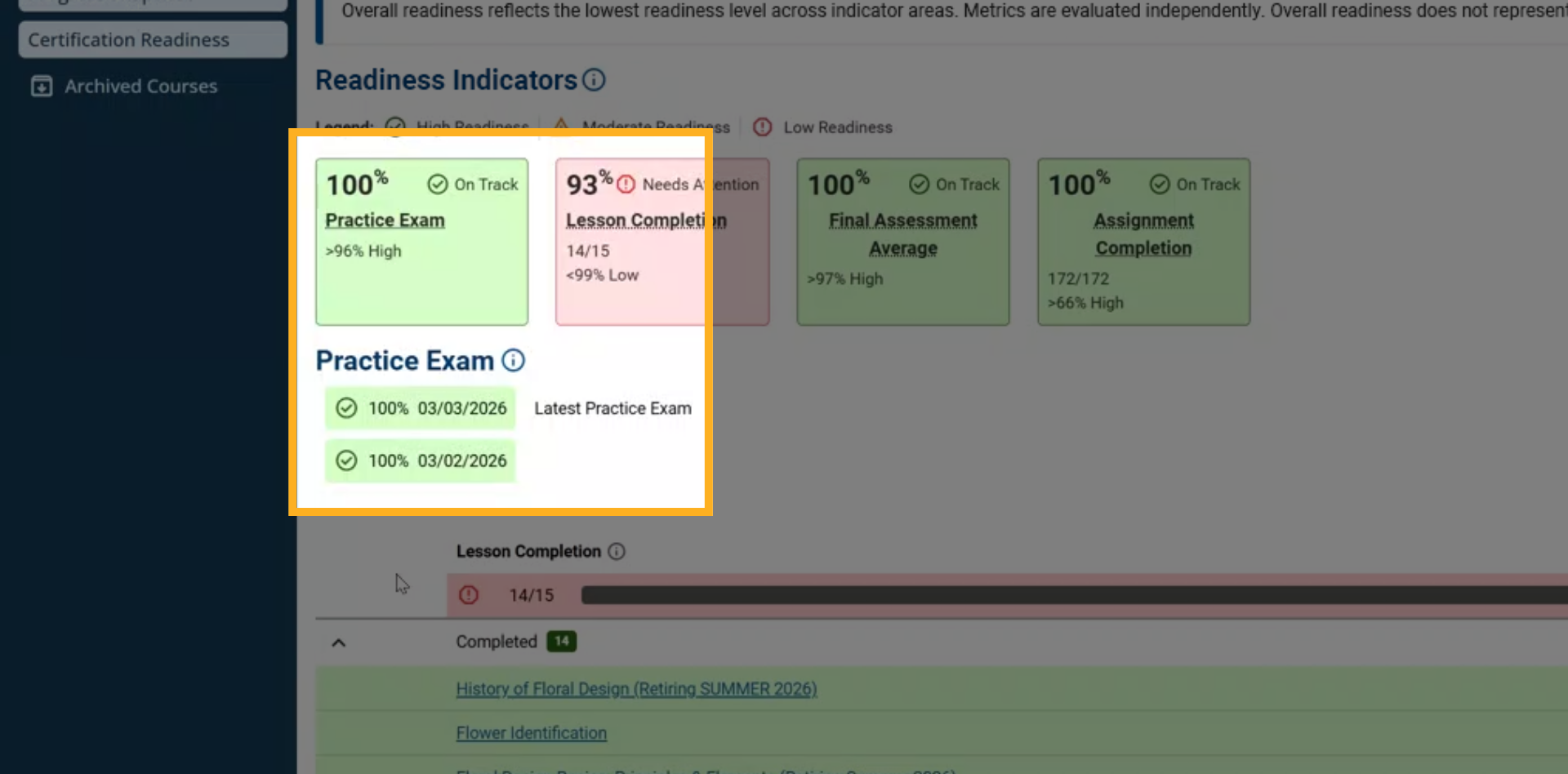
The Practice Exam indicator shows:
-
Whether the student has completed the practice exam
-
Their most recent score
-
Their attempt history
Readiness is determined by how their performance aligns with the defined score thresholds.
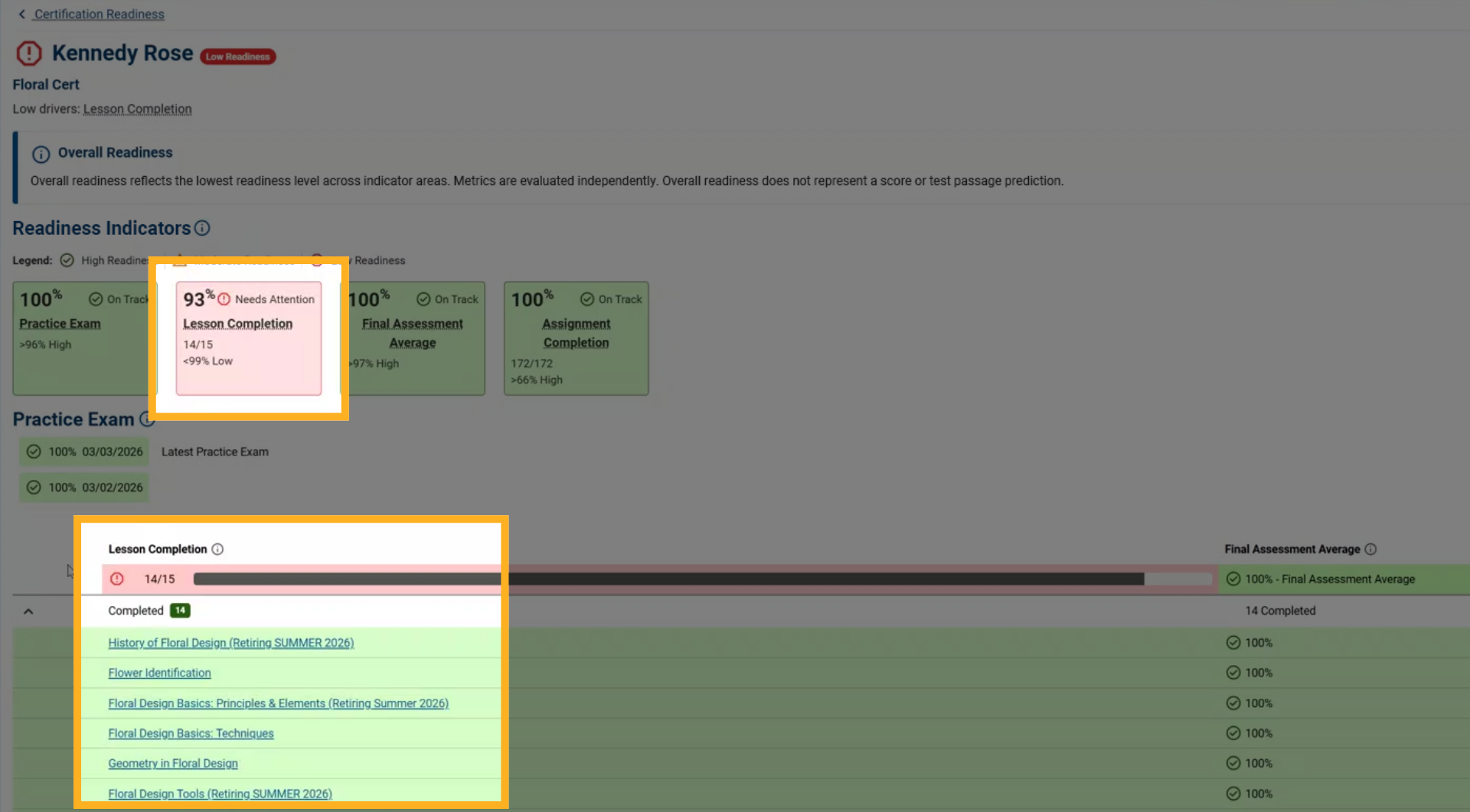
7. Lesson Completion Indicator
The Lesson Completion indicator displays:
-
How many required lessons the student has finished
-
A progress indicator
-
The readiness level based on completion thresholds
8. Final Assessment Average Indicator
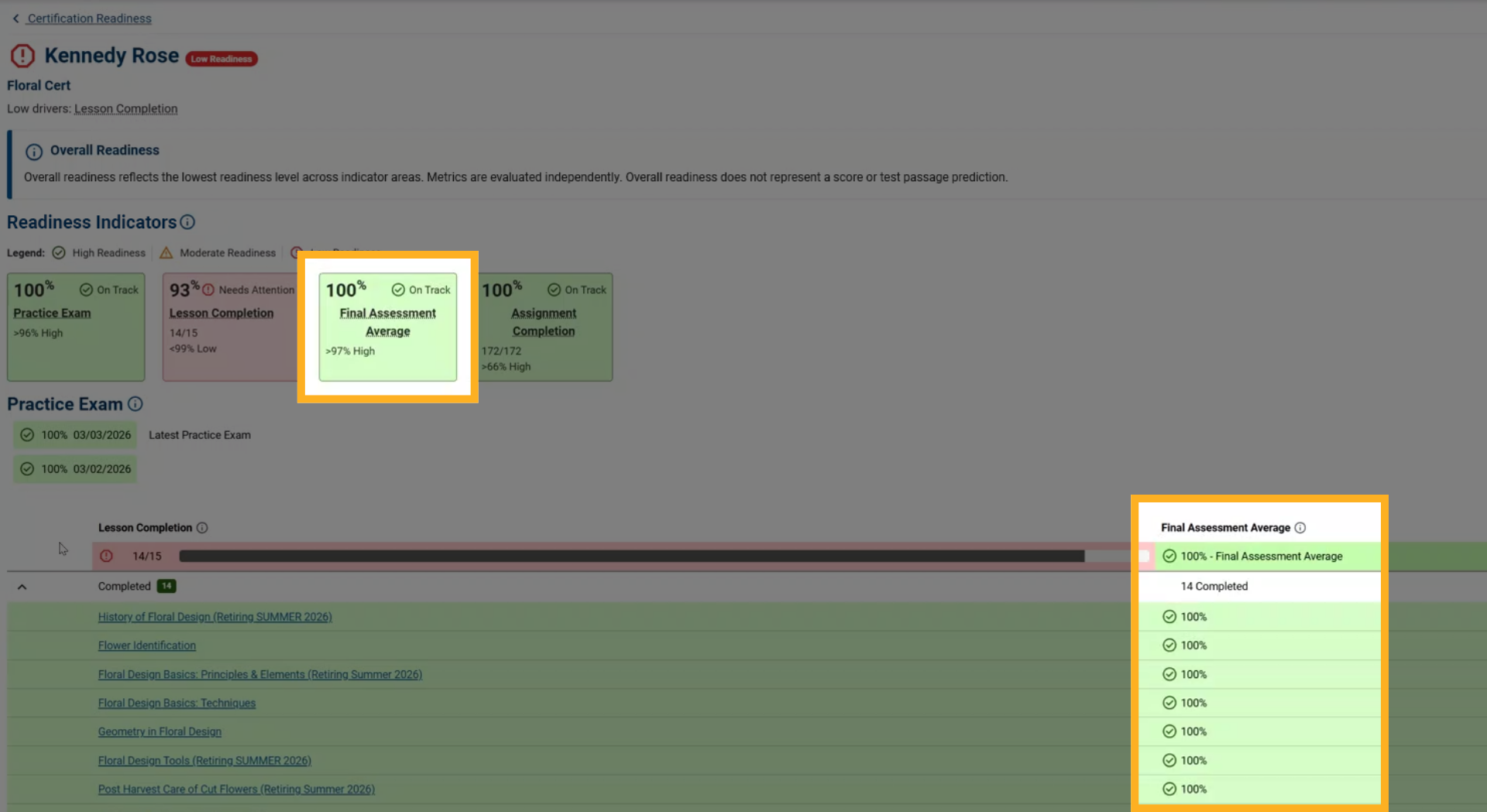
The Final Assessment Average indicator shows:
-
The student’s cumulative performance across final assessments
-
Their overall average
-
The readiness level linked to that average
9. Assignment Completion Indicator
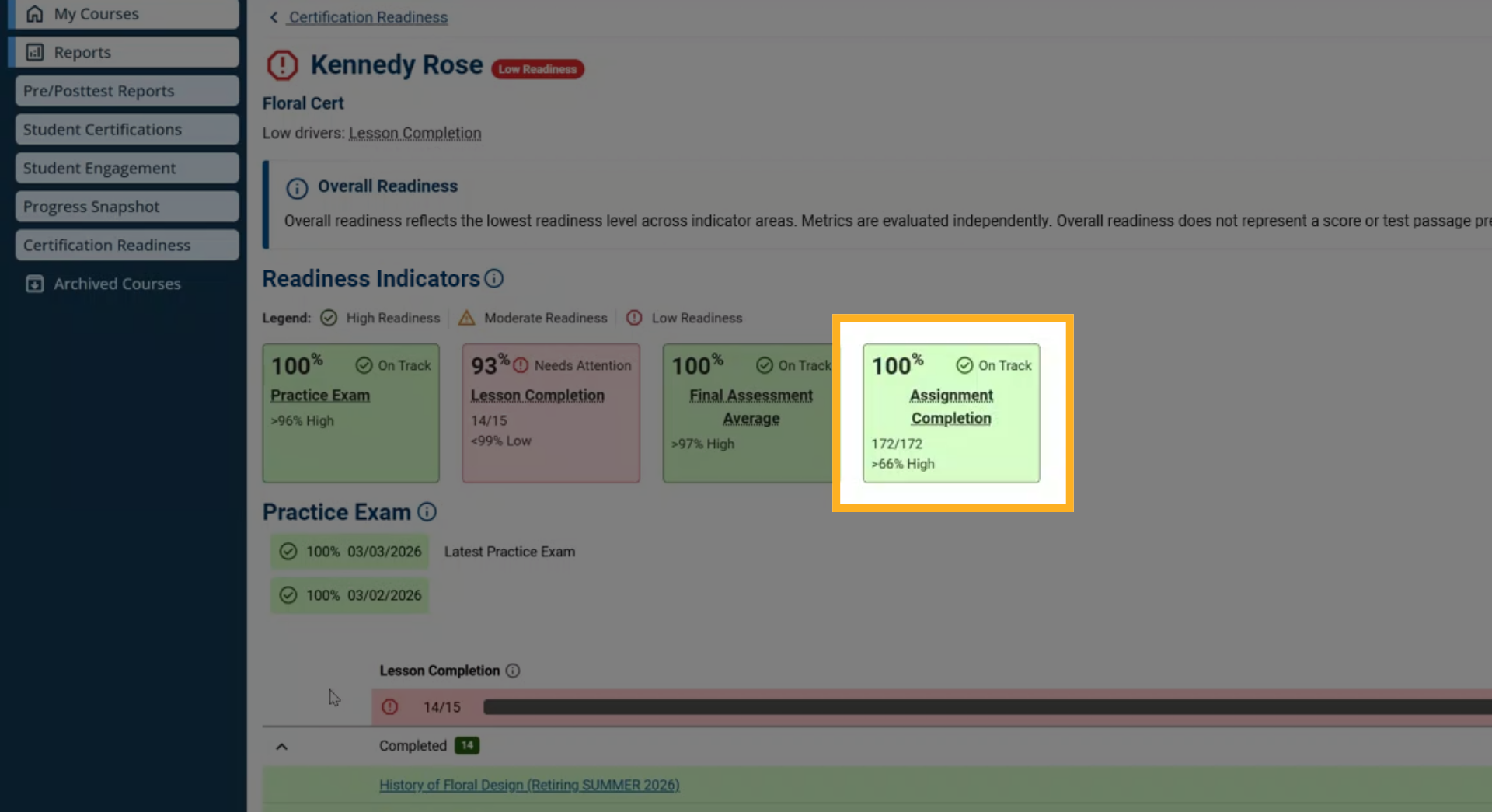
The Assignment Completion indicator reflects how consistently the student completes course assignments, including:
-
Vocabulary activities
-
Key concepts
-
Checks for understanding
-
Learning assets
You will see the total number of assignments completed, the completion percentage, and the readiness level for this indicator.
10. Interpreting Overall Readiness
If a student is showing low readiness overall, review each indicator to identify the lowest performing area.
Improving performance in this indicator can directly improve the student’s overall readiness level.