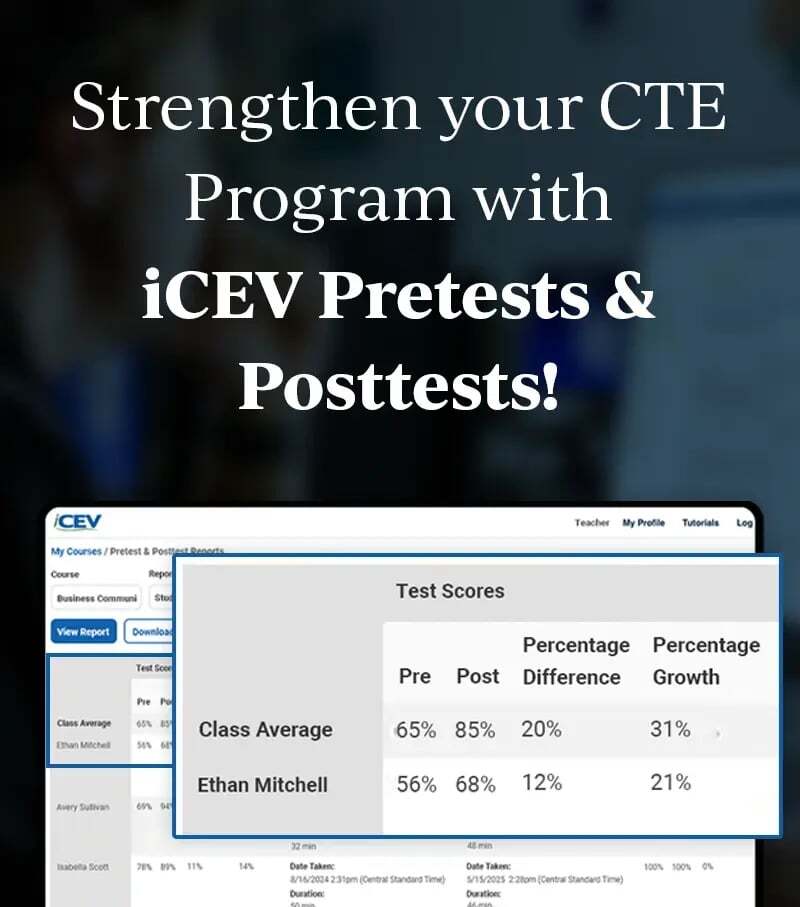
CTE Curriculum
Prepare learners with CTE curriculum aligned to industry standards.


1. Go to the Reports Dashboard
-
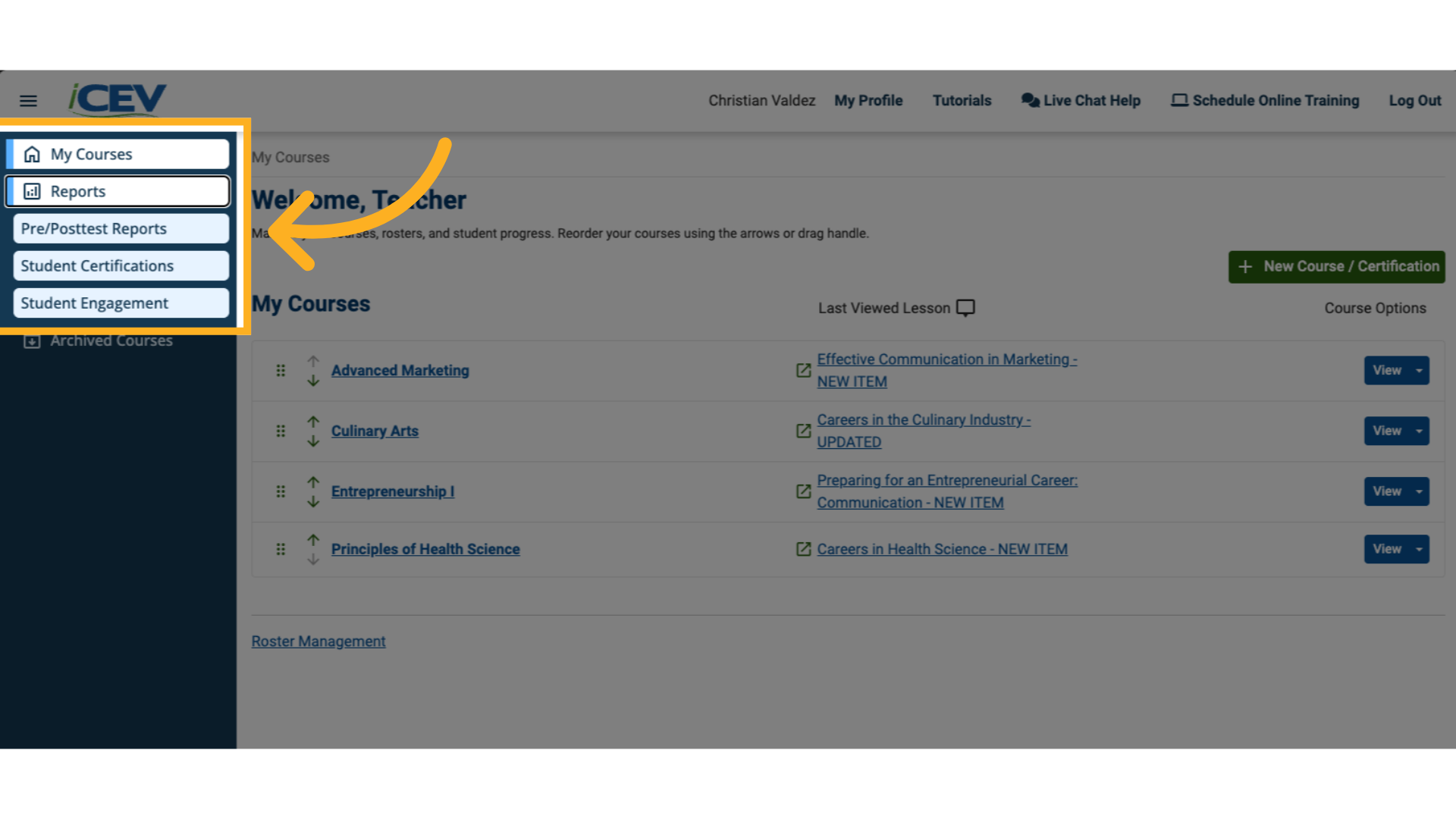
Log in to your iCEV account.
-
On the left-hand menu, click Reports.
-
Select Pre/Posttest Reports from the list of options.
⚠️ Note: If you don’t see this option, your Org Admin has not yet granted you access to pretest and posttest reports.
2. Choose the Report Type
-
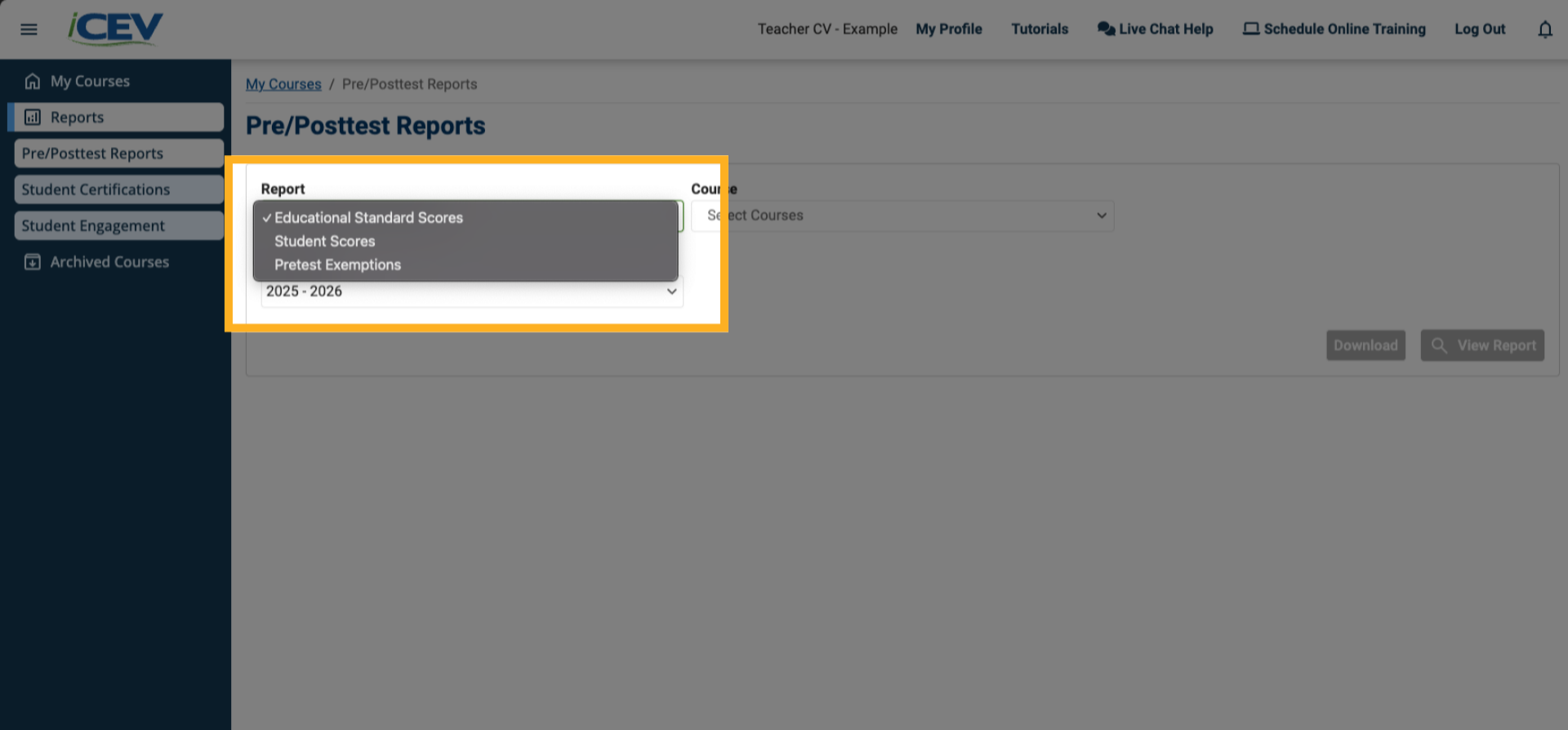
Use the Report Type dropdown to select:
-
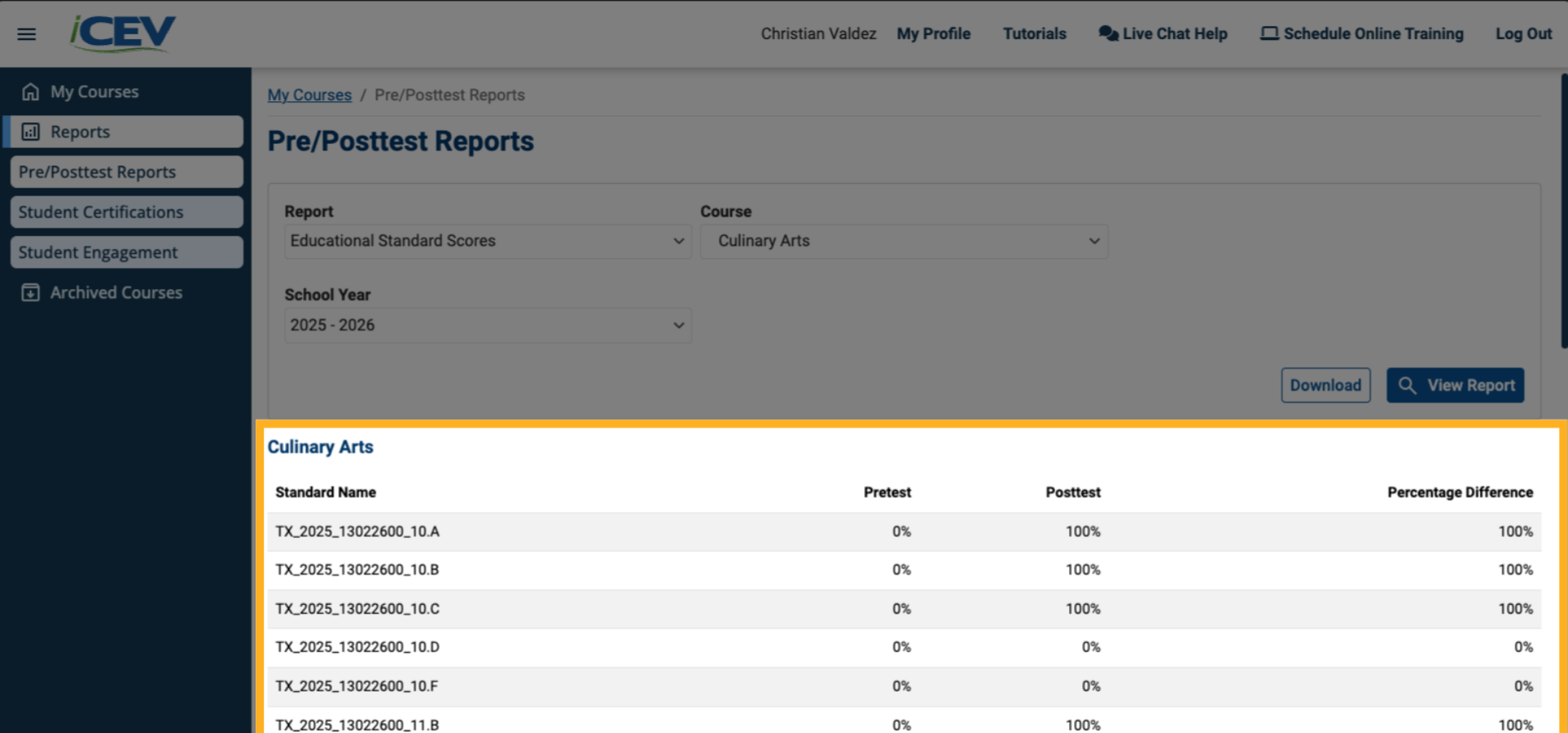
Educational Standard Scores – for a course-wide performance overview.
-
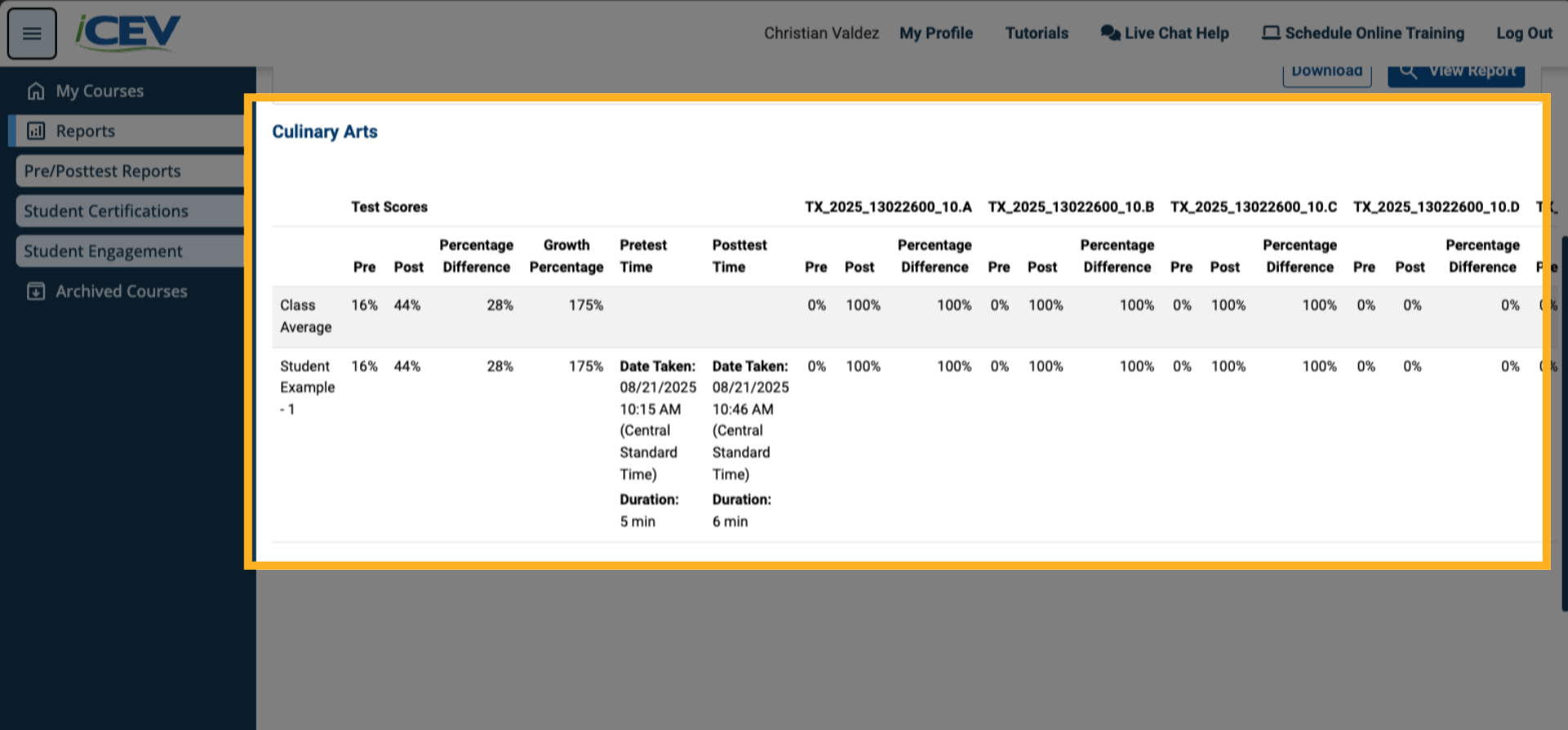
Student Scores – for student performance details.
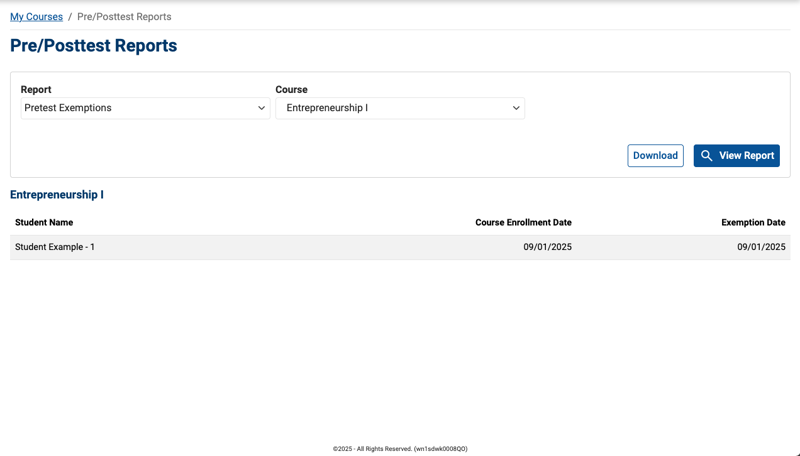
- Pretest Exemptions – for pretest exemptions at the classroom level.
-
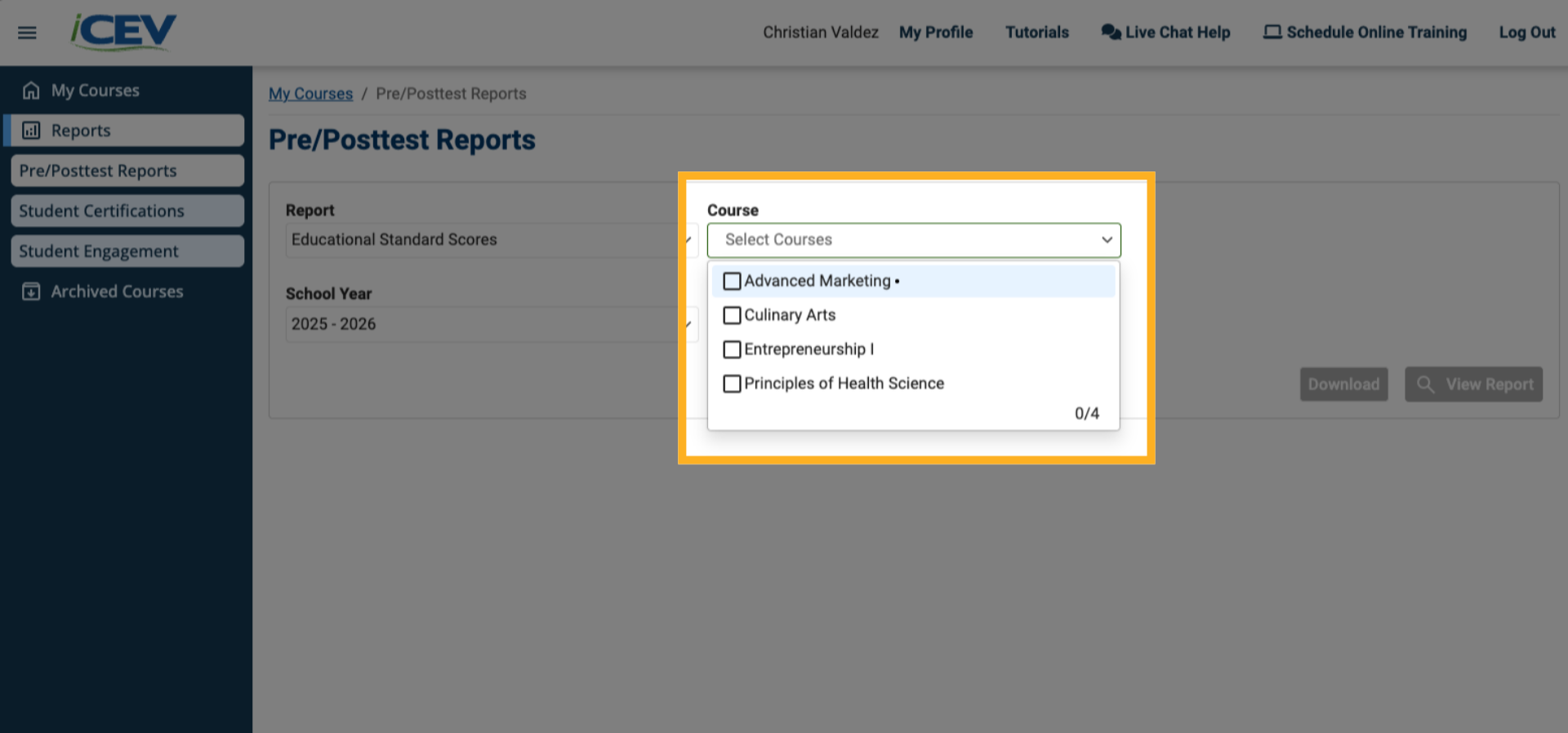
3. Select a Course
-
In the Course dropdown, choose one or more courses you want to generate the report for.
4. Select a Student (if applicable)
-
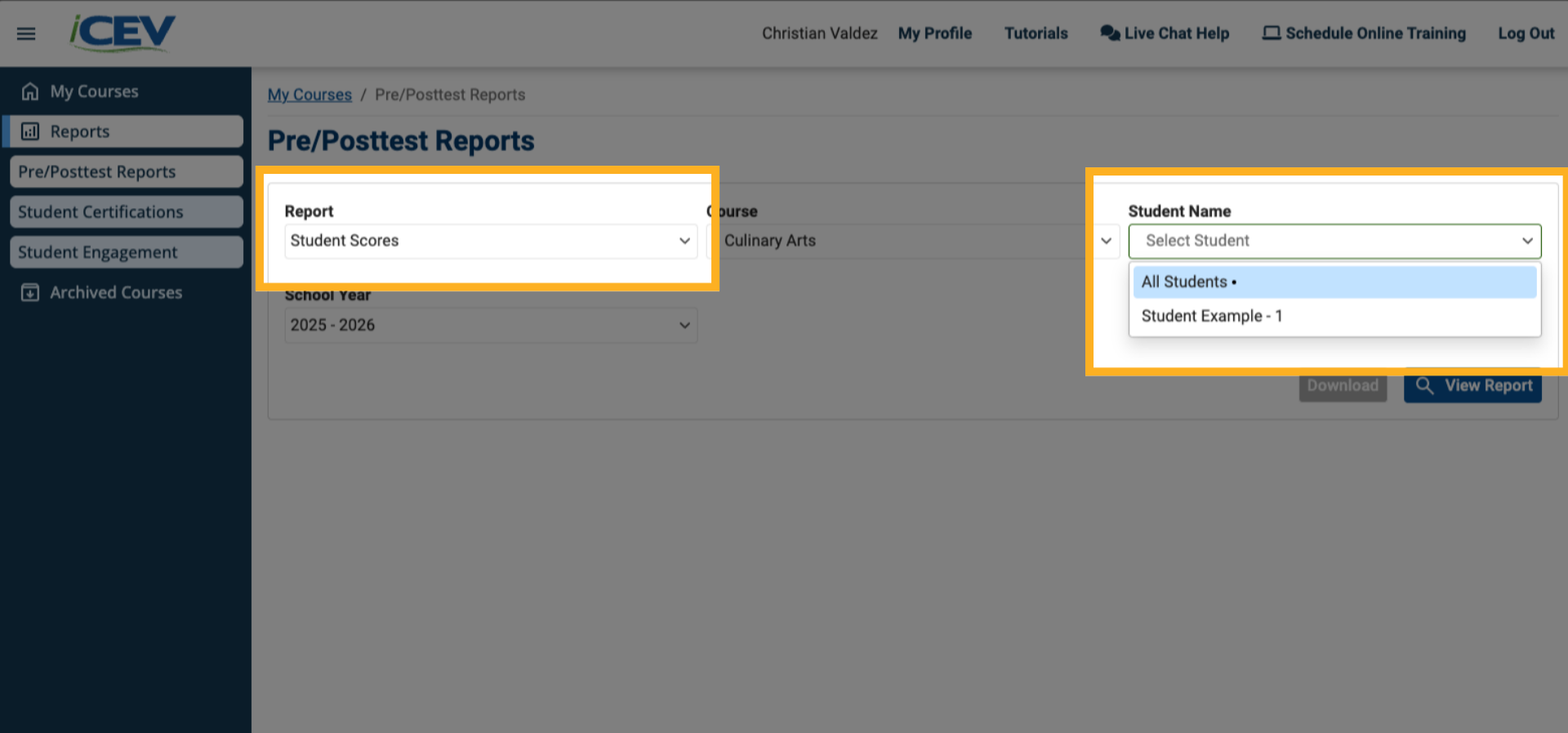
If you selected Student Scores in Step 2, a Student Name dropdown will appear.
-
Choose a specific student or select All Students to view group data.
5. Choose the School Year
-
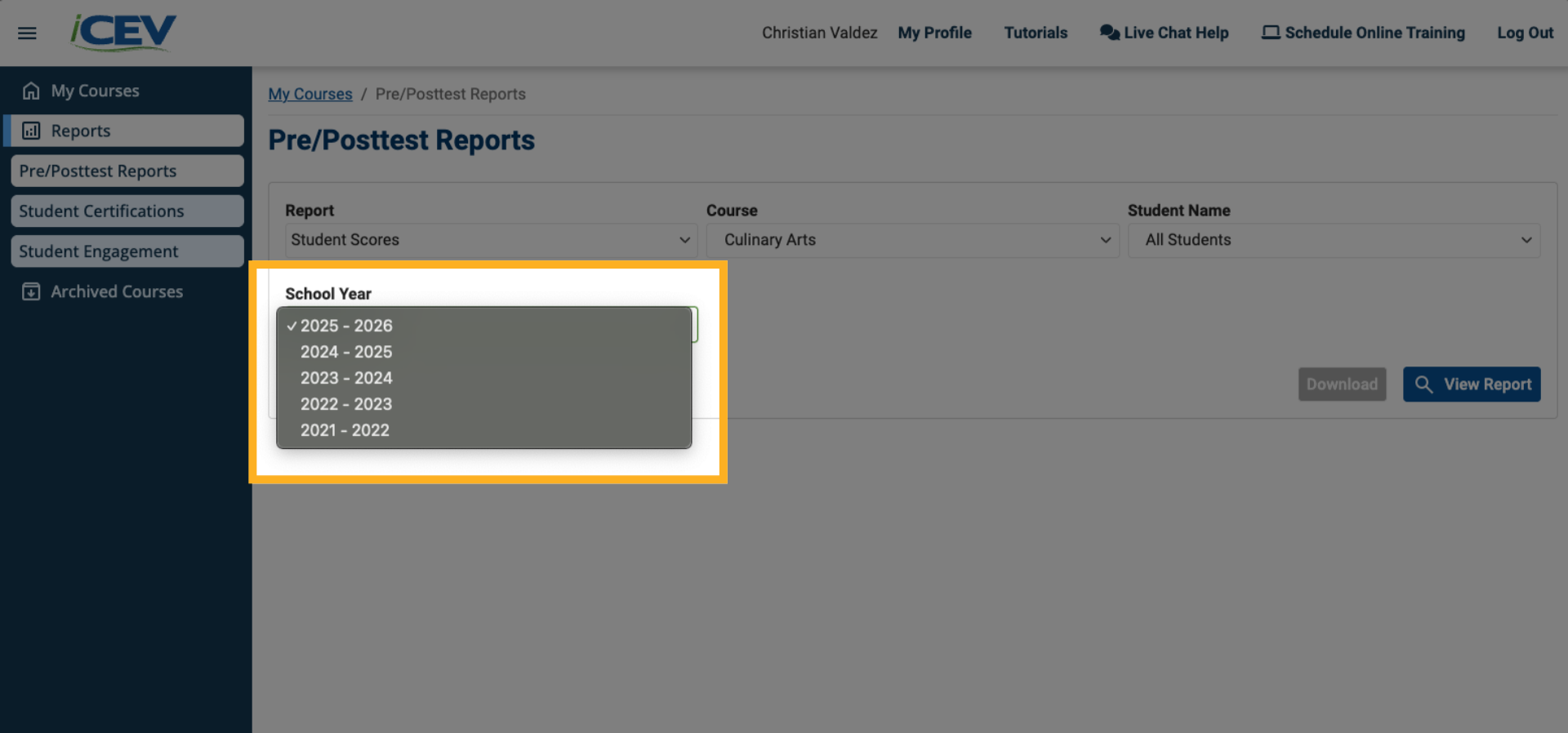
The School Year filter defaults to the current year.
-
To view data from previous years, select the desired year from the dropdown.
6. View or Download the Report
-
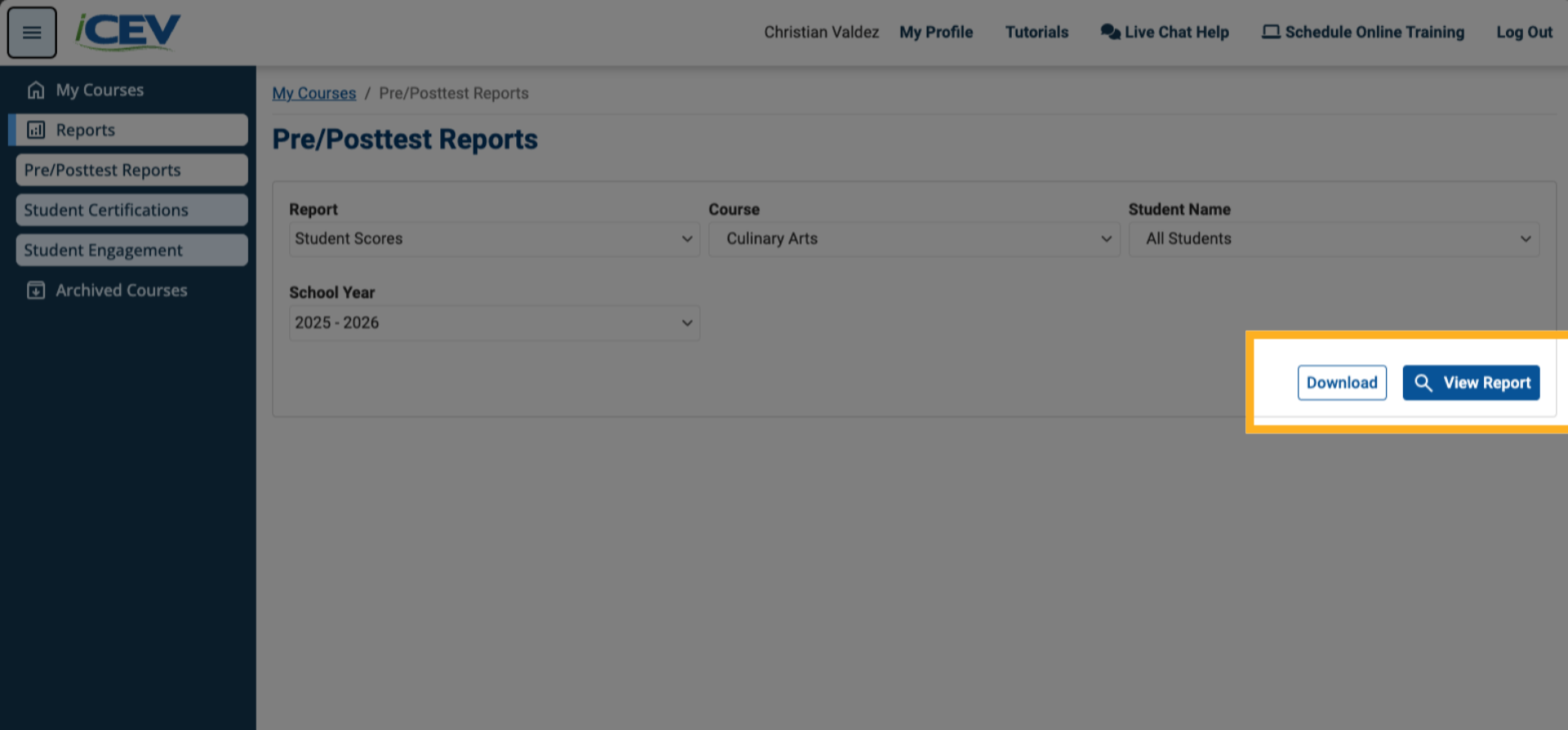
Click View Report to generate the results.
-
Click Download Report to export the data as a .csv file.
Understand the Report Types
Educational Standard Scores Report
-
Displays performance by Educational Objectives-Alignment.
-
Includes pretest, posttest, and percentage difference.
-
Automatically updates as students complete assessments.
Student Scores Report
-
Shows each student’s pretest, posttest, and growth data.
-
Includes class averages for comparison.
-
Shows Educational Objectives-Aligned data for deeper insights.
Pretest Exemption Report
-
Shows which students have been exempted from pretests.
-
Track exemptions at the classroom level.
-
Manage and support exempted students with confidence.